For eClinicalWorks practices · first month free

Know how your practice is really doing.

Billing, A/R, denials, missed visits and each provider's work in one place, from the reports already in eClinicalWorks.

  • Consultants and fractional CFOs
  • Owners with several practices
  • Doctors who want to know their business
  • See billing and what slipped
Brief · Sample Family Practice · September 2026Sample data
Ties to eCW's own reportsPatient data stays on your PCWindows 10 and 11

The data was always in eClinicalWorks.
You just never saw it.

$2.90Mincome, last 6 months
90.9%net collection rate, June
$14.9Kin claims nobody has touched in 35 days
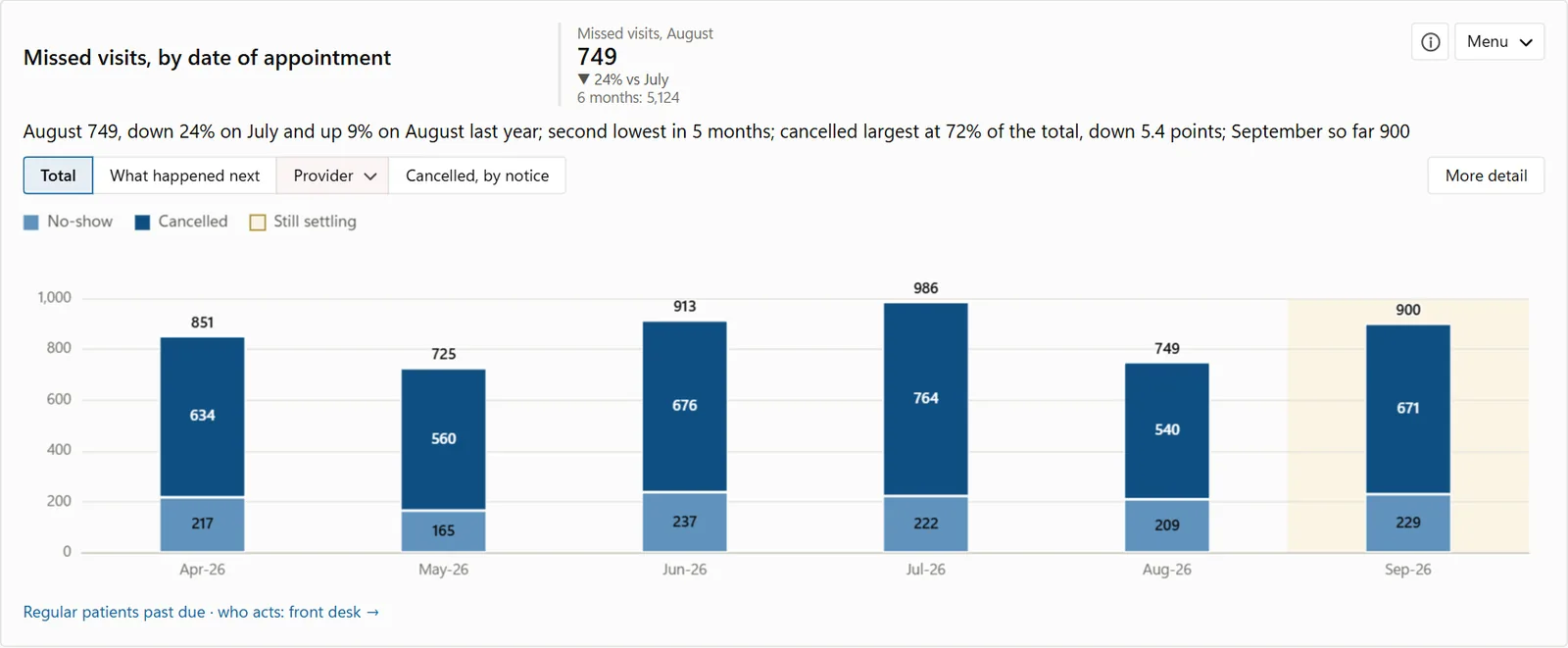
457missed visits not rebooked

Sample practice, invented data

Split anything

Total, then by insurer, then by provider.

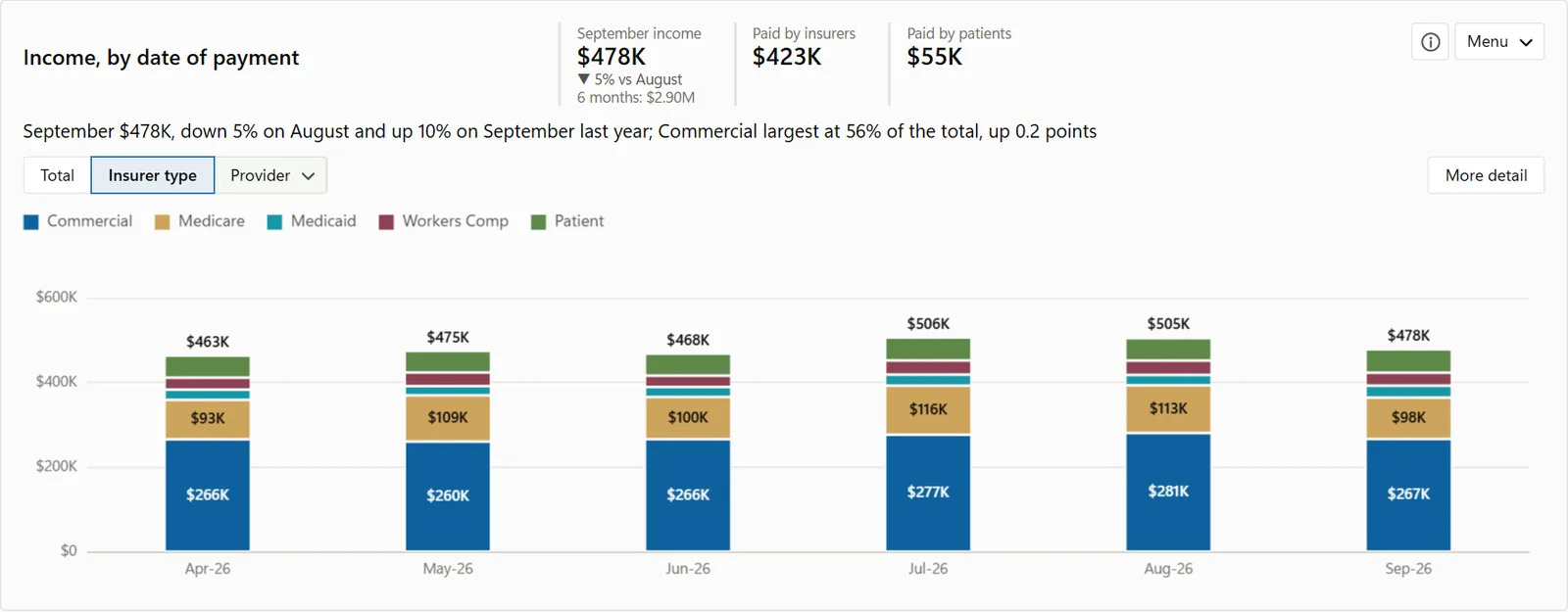
Open any chart and pick a split: total, insurer type, provider and more. The dates stay the same, and More detail opens the table behind the chart.

Income · Sample Family PracticeSample data
Productivity

See who produces what, and what it brings in.

Work RVUs and dollars, by your chosen provider. Each provider's work RVUs, visits and RVUs per visit, next to what is collected for each work RVU.

RVUs · Sample Family PracticeSample data
Reports

Reports for your own use, and to share.

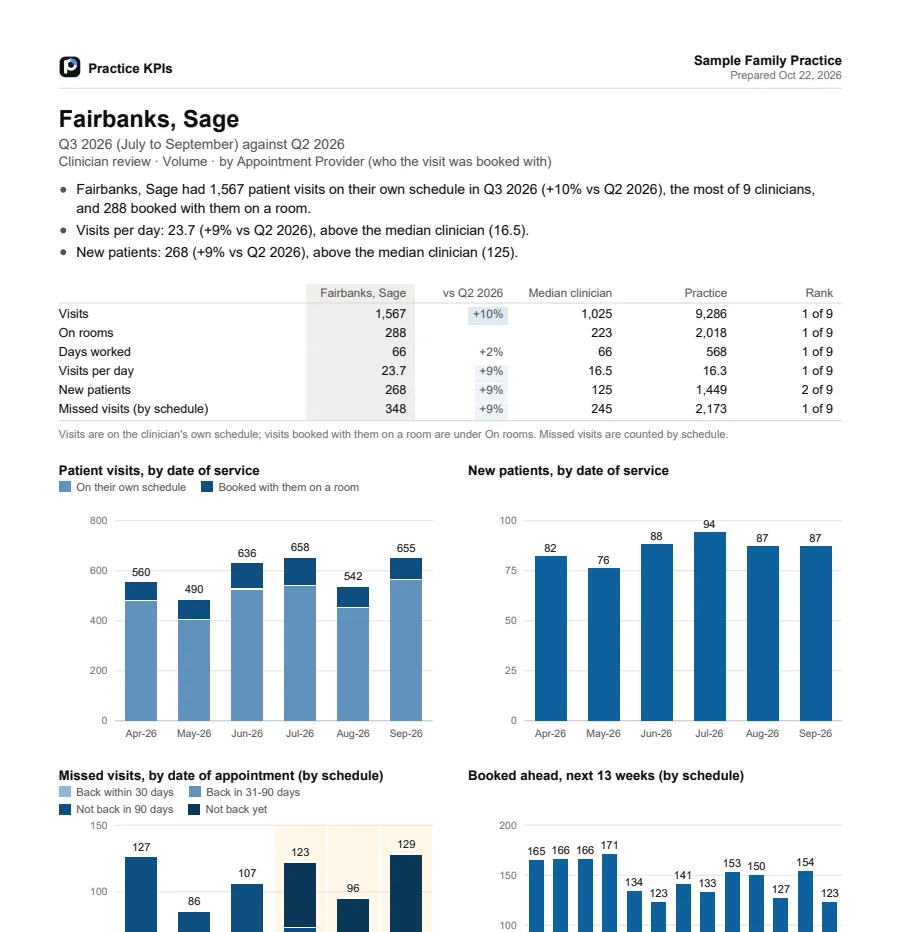
A monthly pack, a review for each provider and more, as PDFs short enough to read in minutes. Keep them, or send them to your partners, your providers or your biller.
PDF
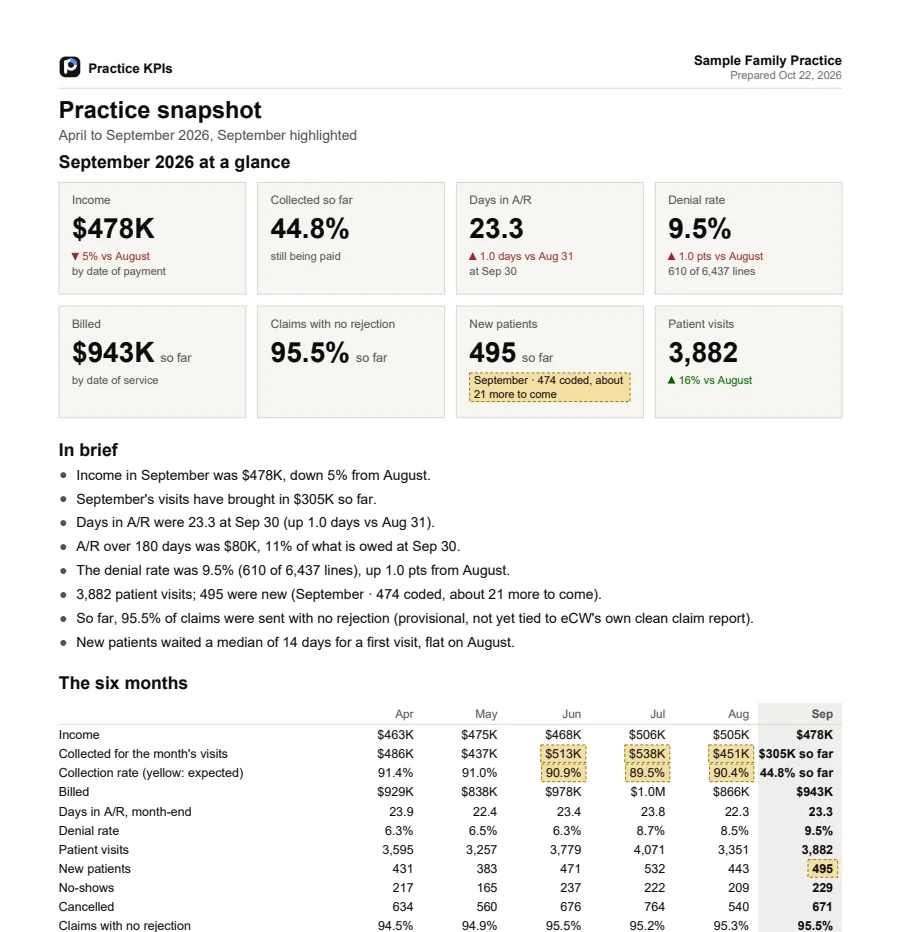
Monthly briefThe month at a glance, a few plain sentences and the six months side by side. For owners and partners.

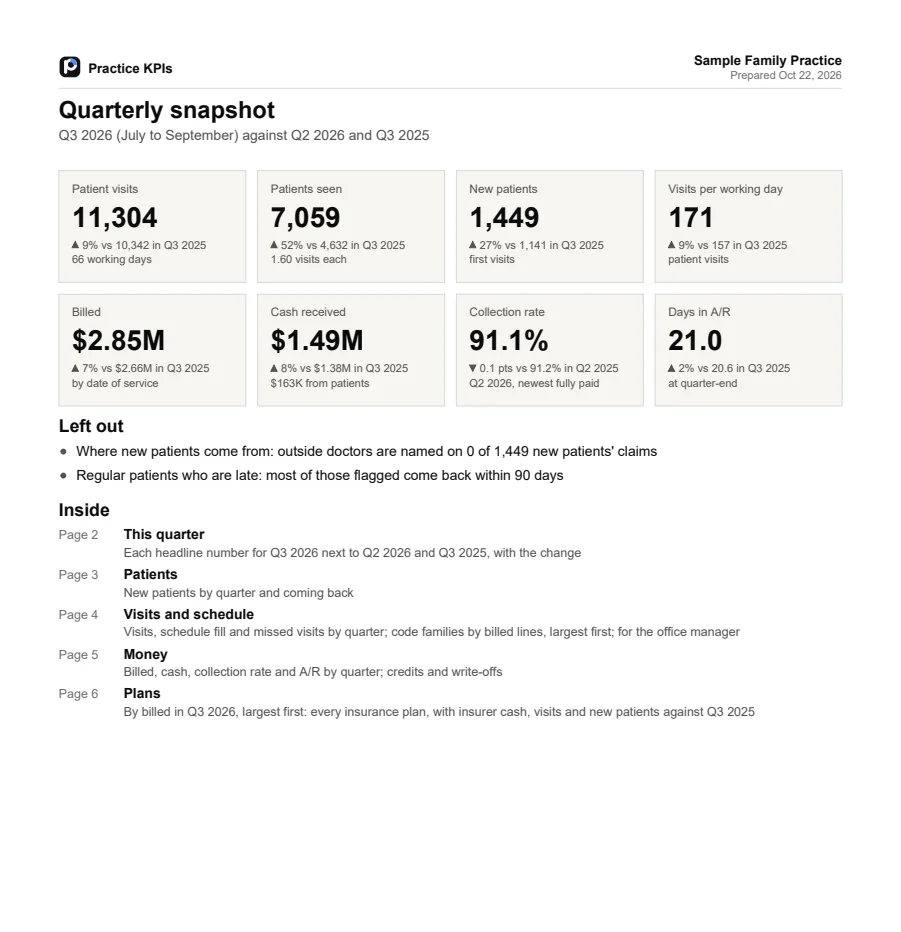
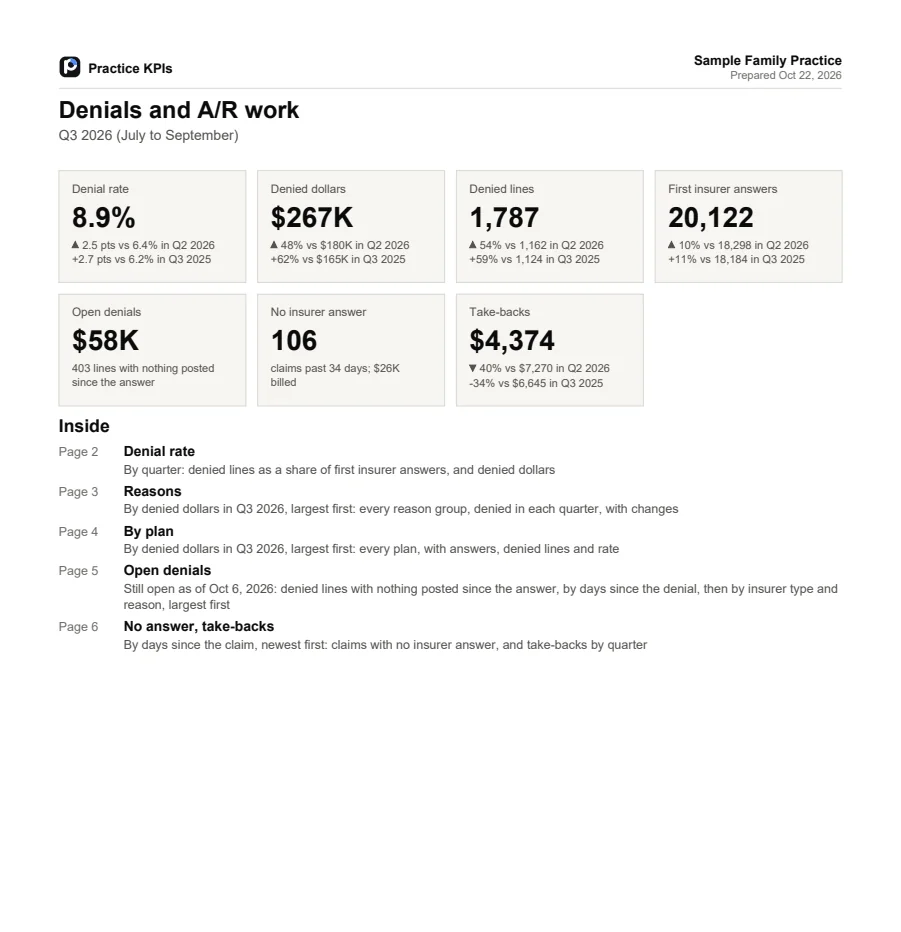
Monthly brief · Provider review · Quarterly snapshot · Denials and A/R work · Any chart as a PDF

What slipped

Denials nobody worked. Missed visits nobody rebooked.

To do ranks what slipped by dollars and says who should act: billing or the front desk. Every list exports to Excel.

To do · Sample Family PracticeSample data
Several practices

Every practice in one app.

Click the practice name to switch. Each practice keeps its own data, and you stay on the same page and dates, so comparing is easy.
Brief · Sample practicesSample data
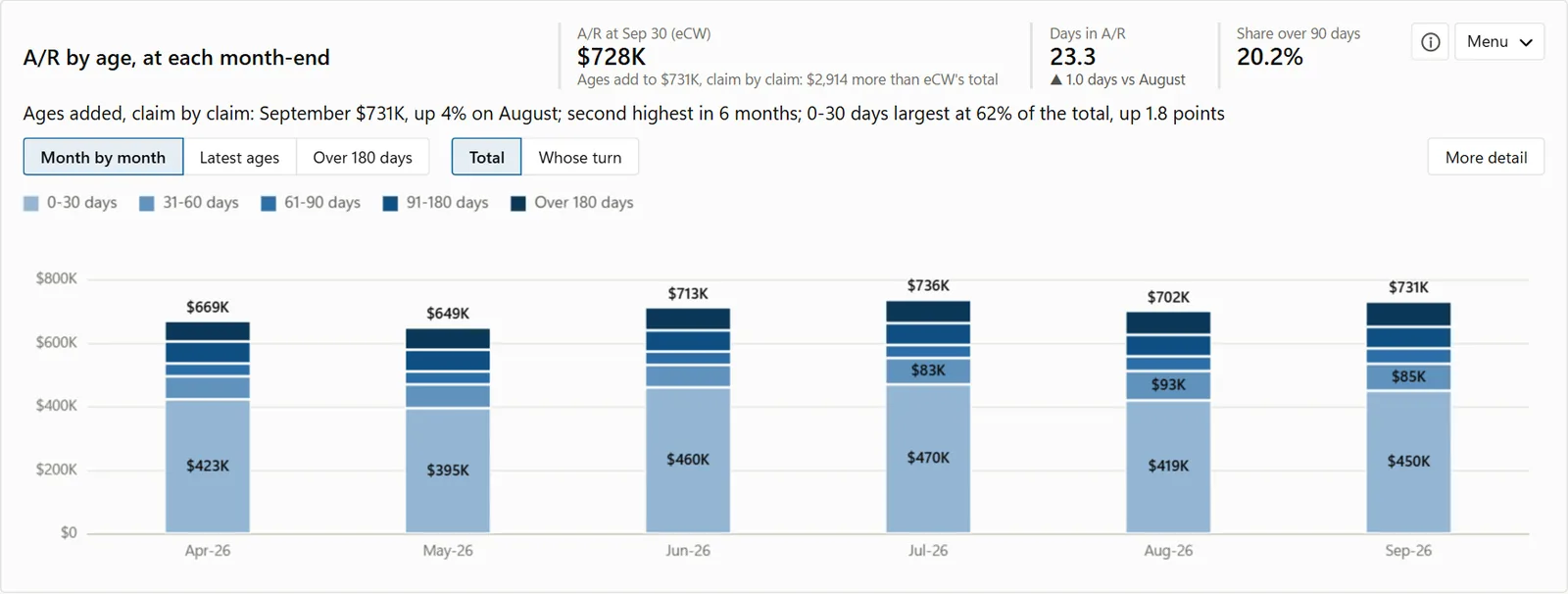
A/R by age, at each month-end
A/R by age at each month end
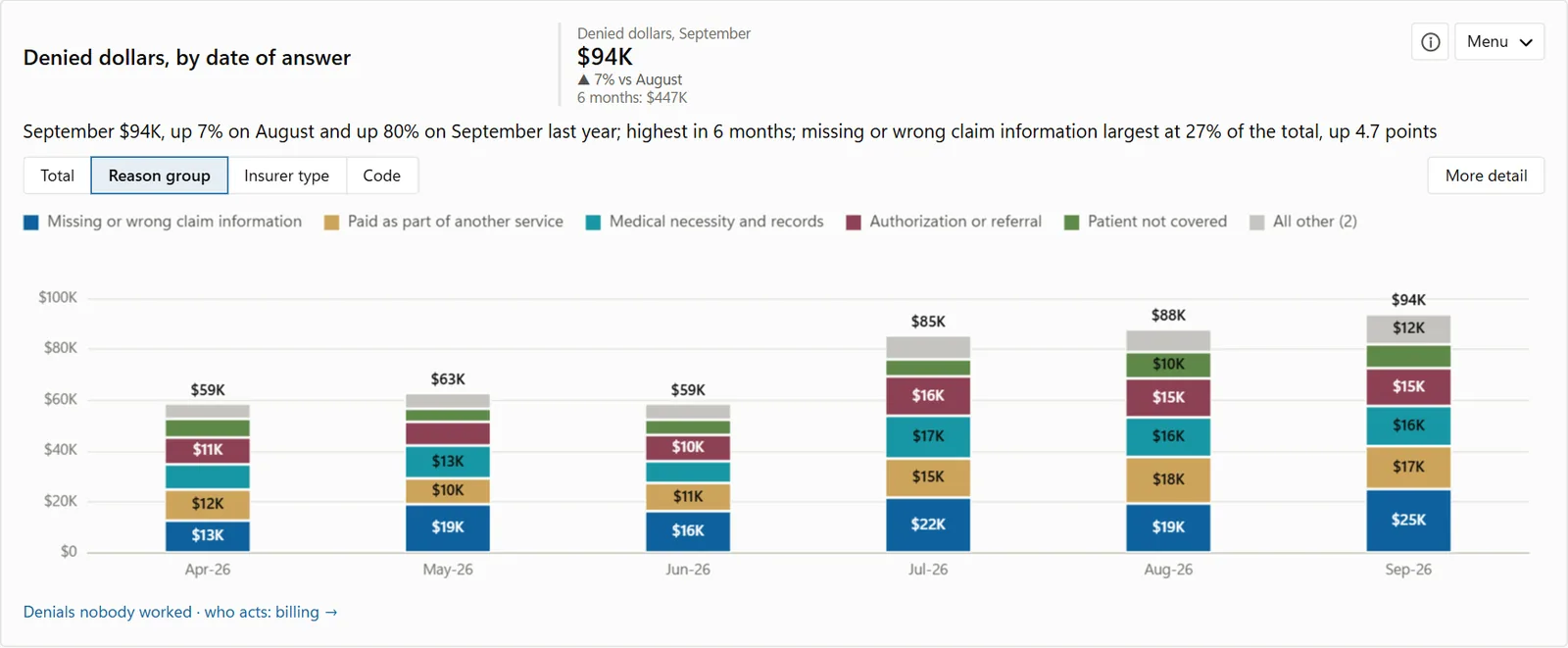
Denied dollars by reason group, by date of answer
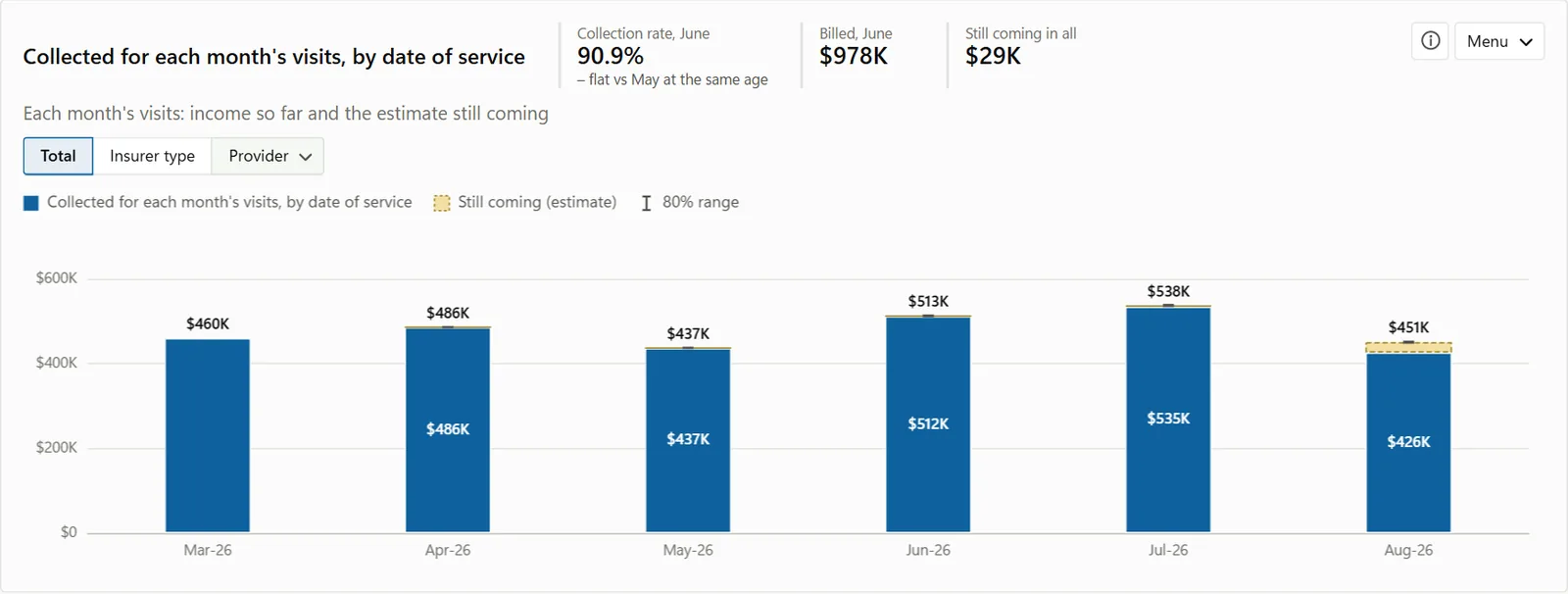
Collected for each month's visits, with the estimate of what is still coming
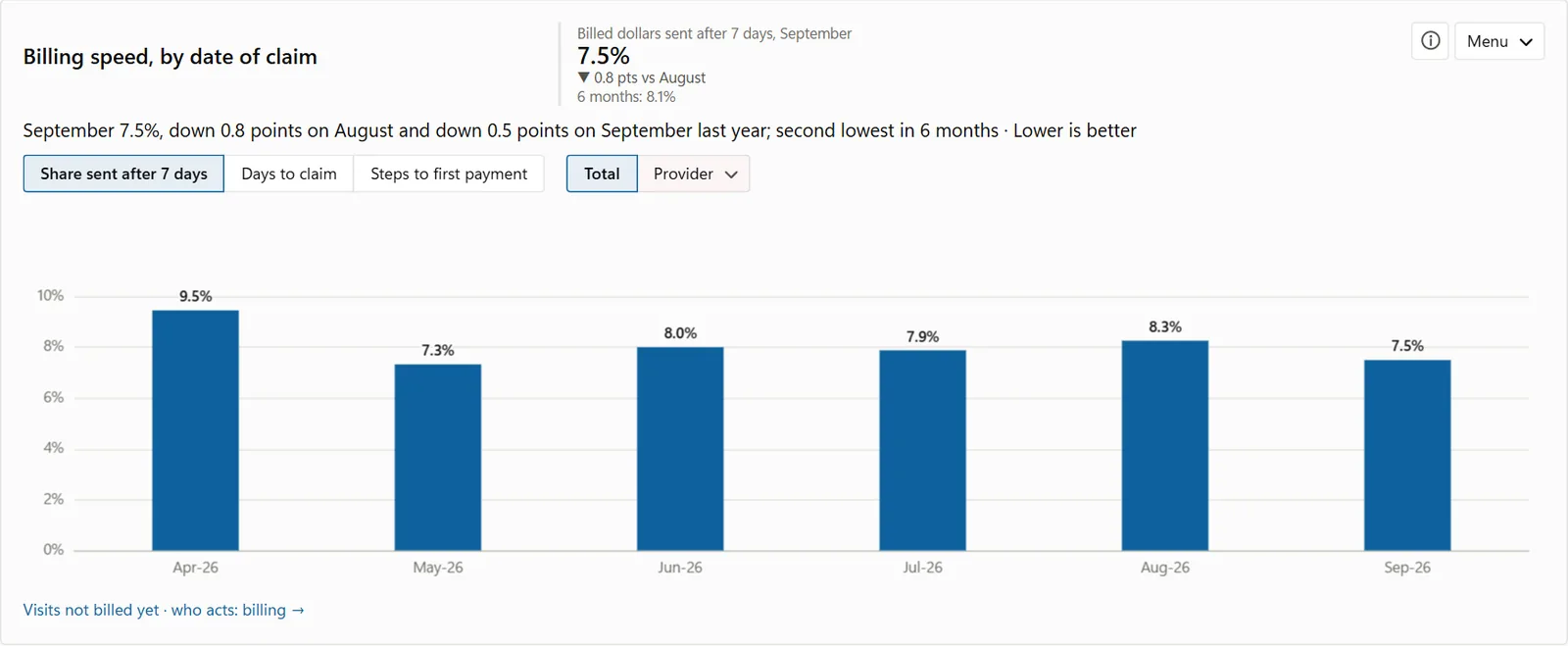
Billing speed: dollars billed more than 7 days after the visit
Income by date of payment, split by insurer type
Missed visits by date of appointment, by what happened next
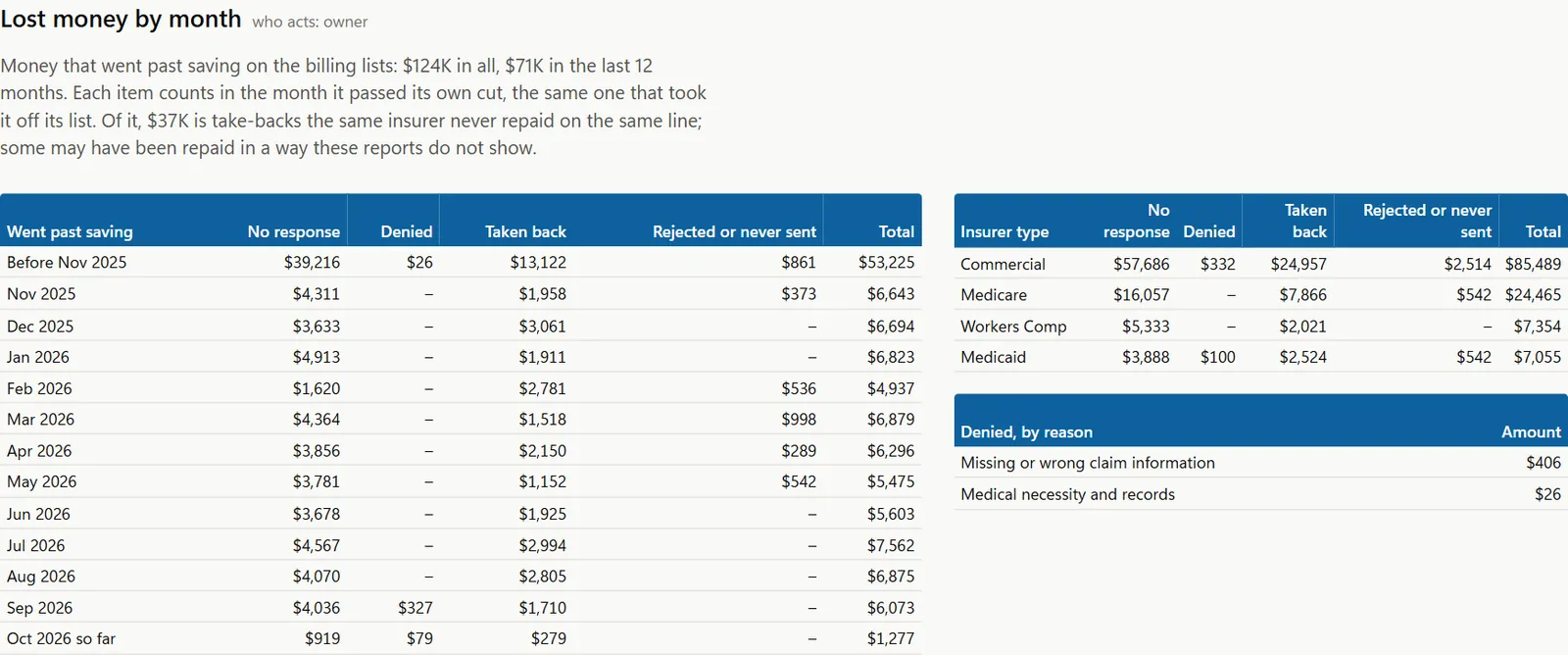
Lost money by month: what went past saving, by month, by insurer type and by denial reason
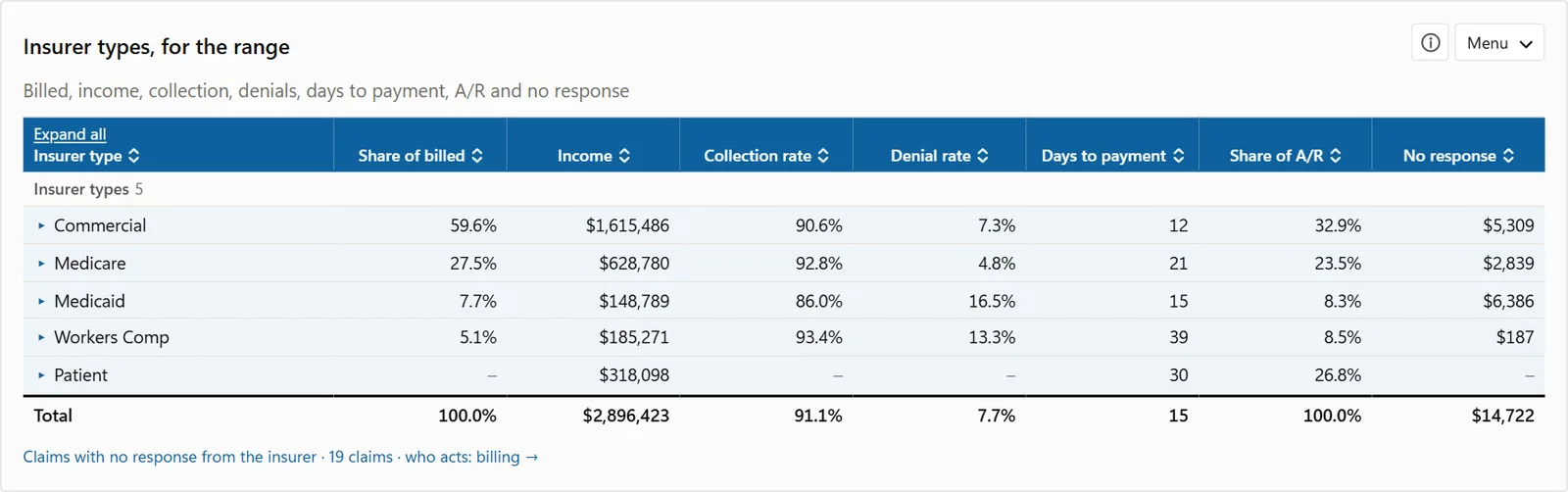
Each insurer type's share of billed, income, collection rate, denial rate and days to payment
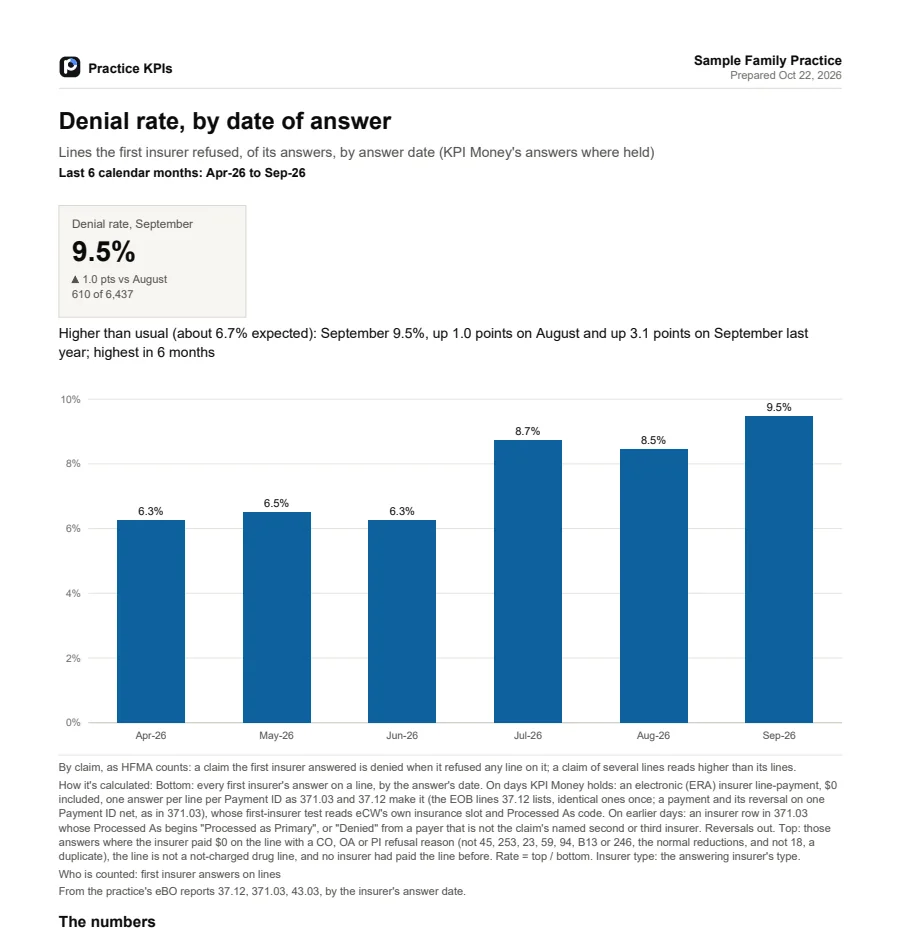
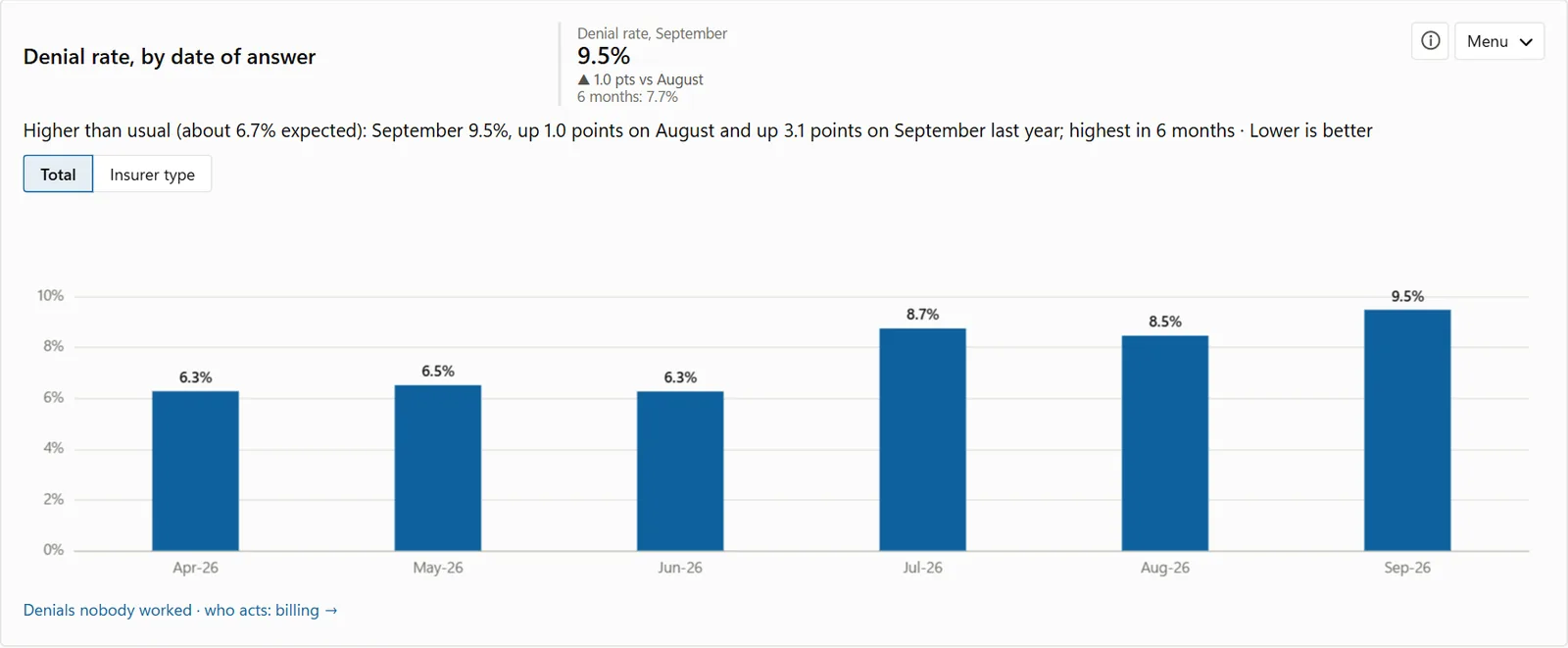
Denial rate by date of answer, with what is usual for the practice
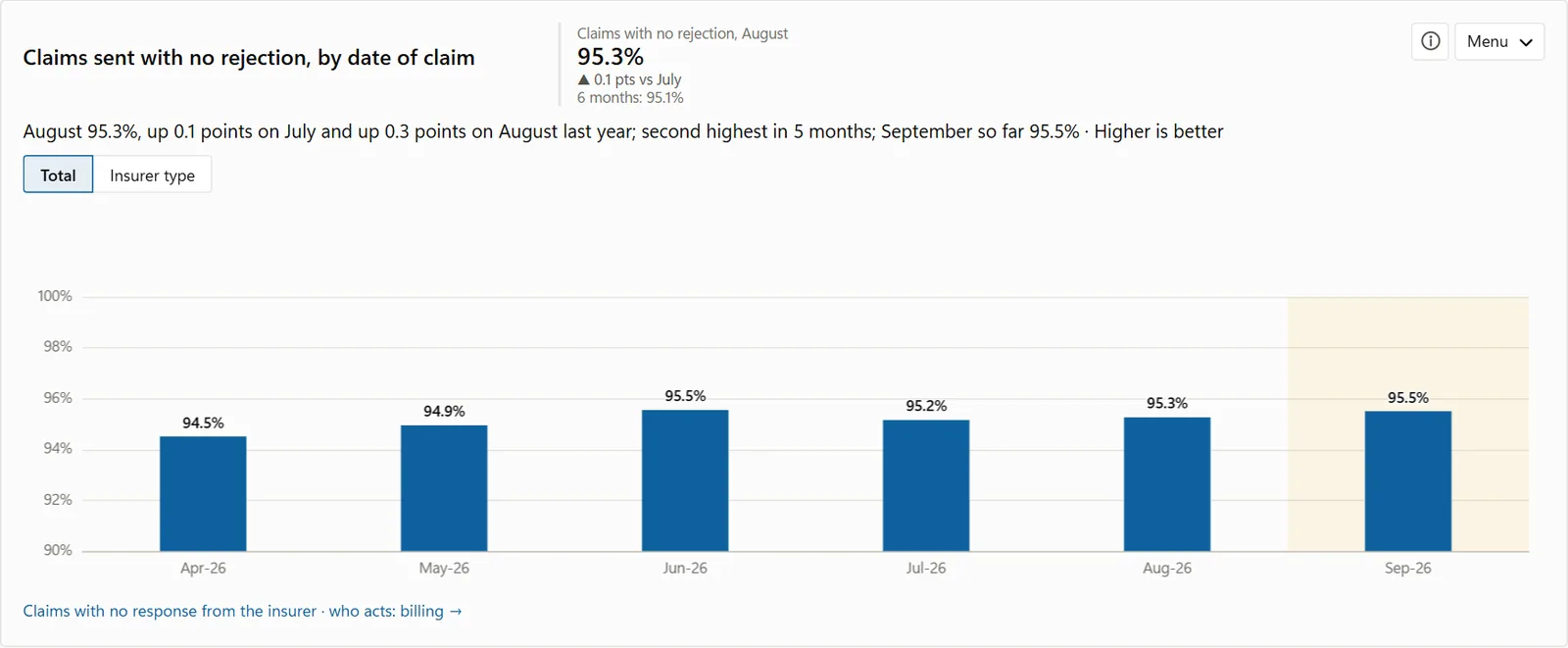
Claims sent with no rejection, by month sent
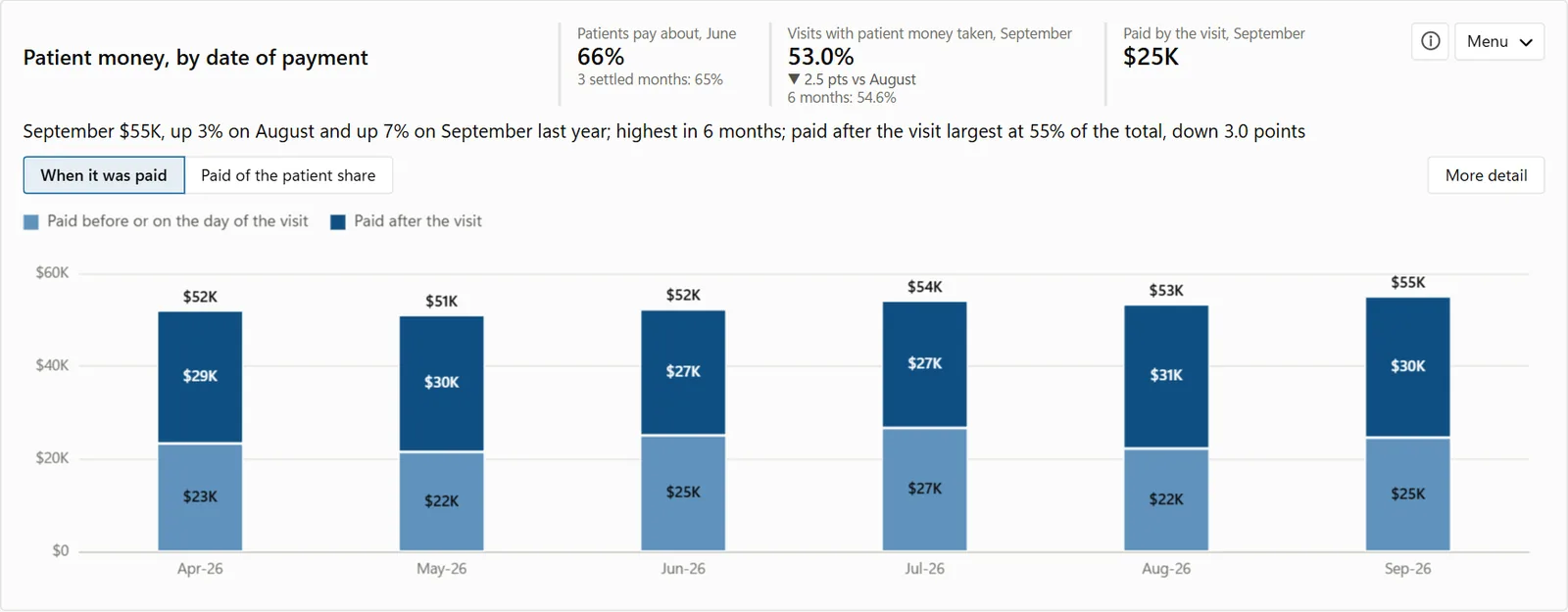
Patient money by date of payment: paid before or on the day of the visit, and after it
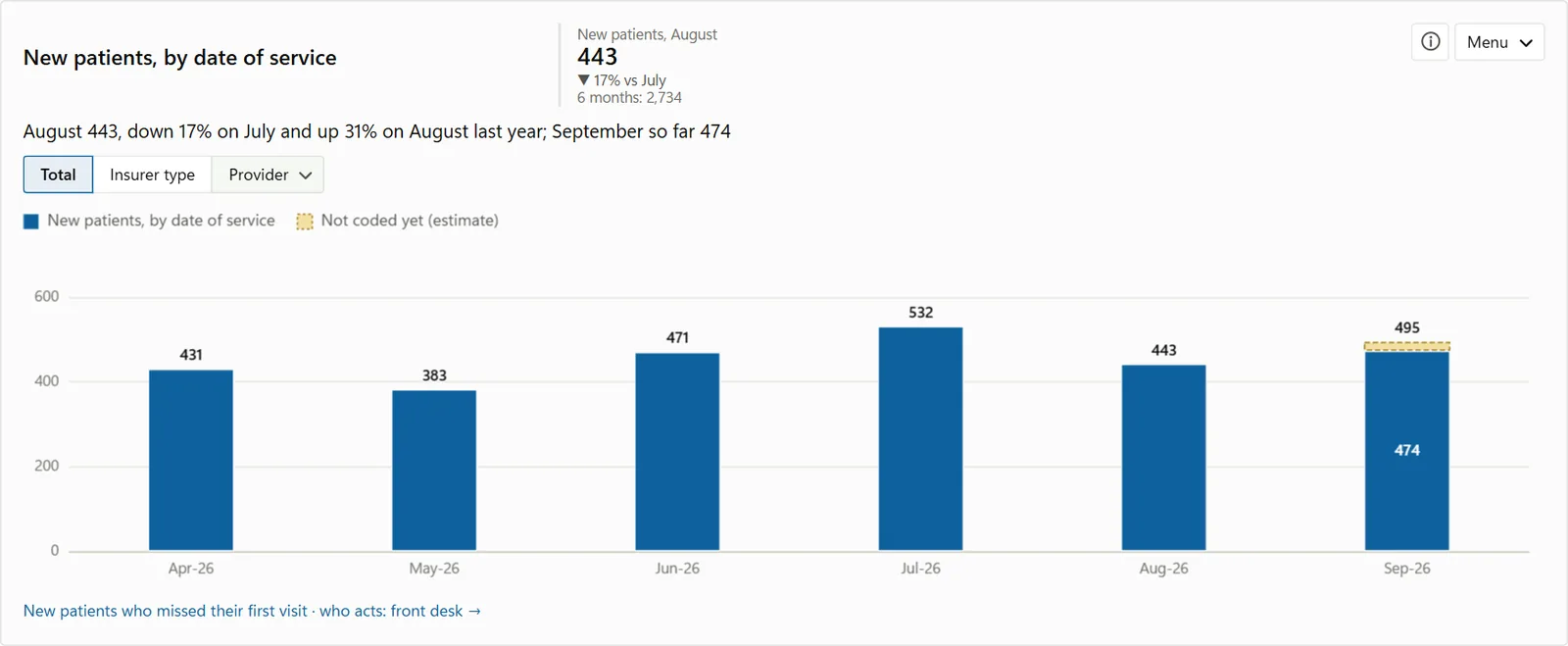
New patients by date of service, with the part not coded yet
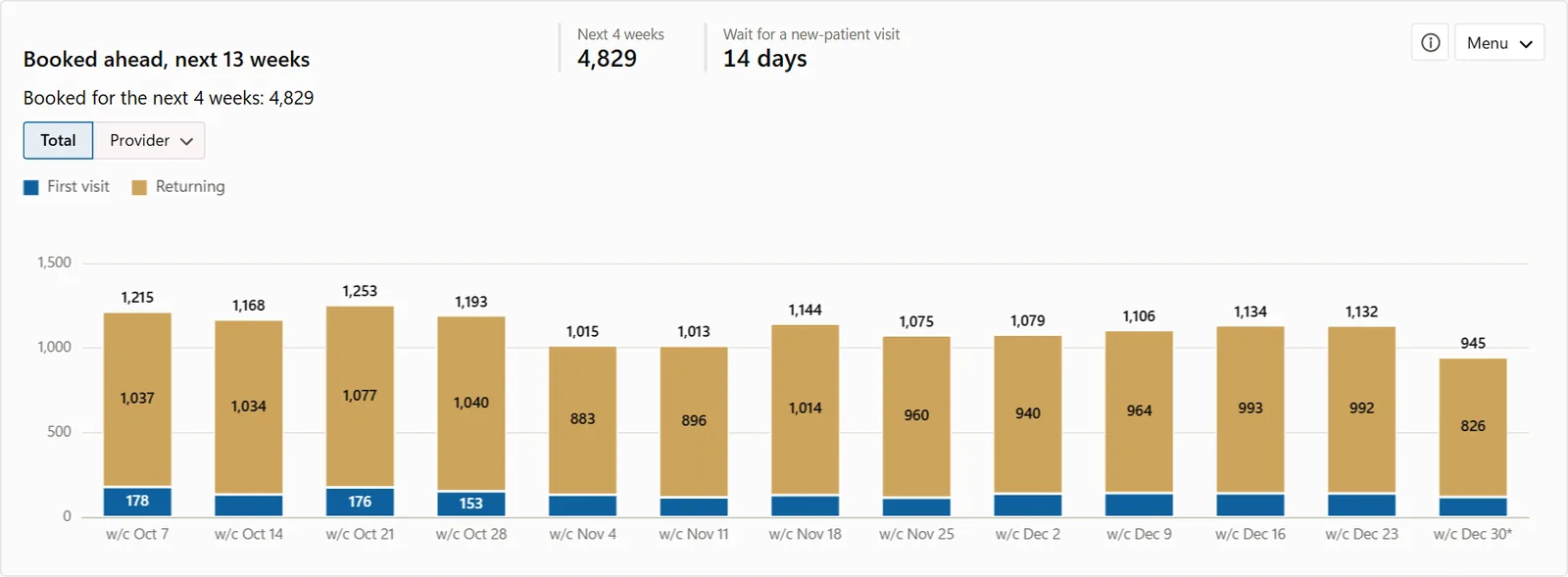
Visits booked ahead for the next 13 weeks, first visits and returning patients
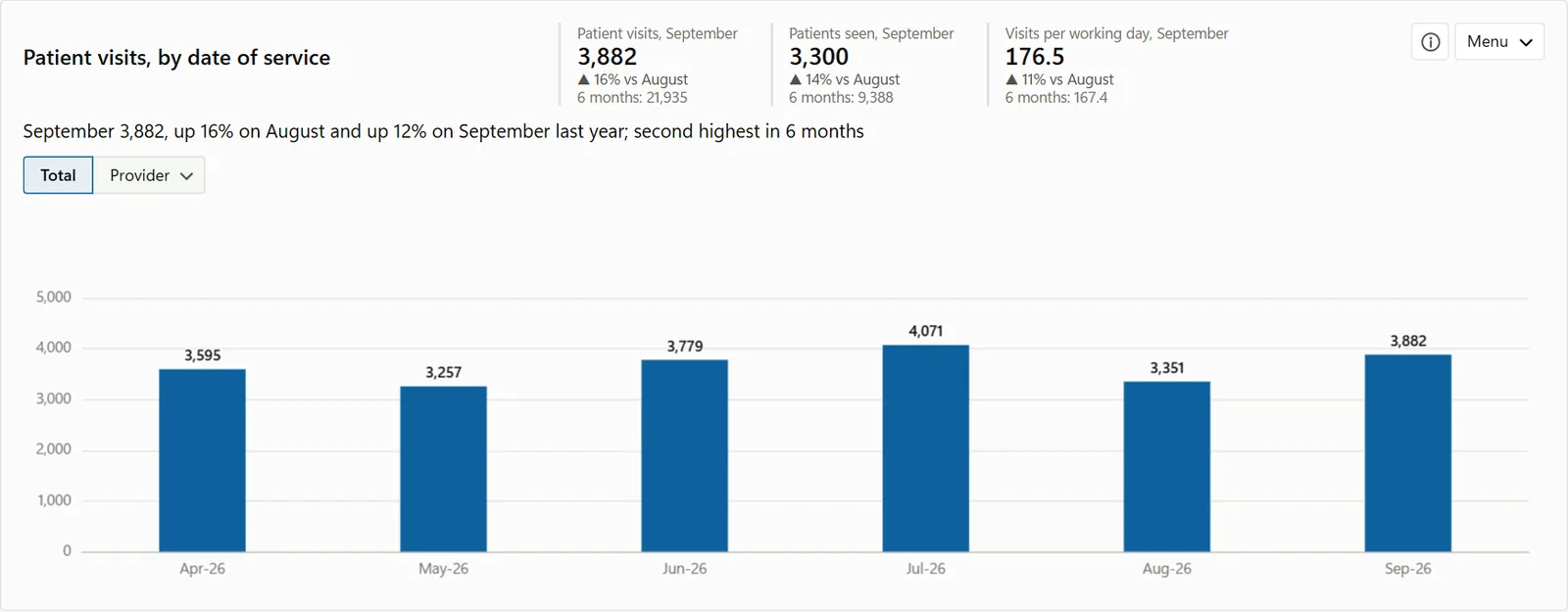
Patient visits by date of service, with patients seen and visits per working day
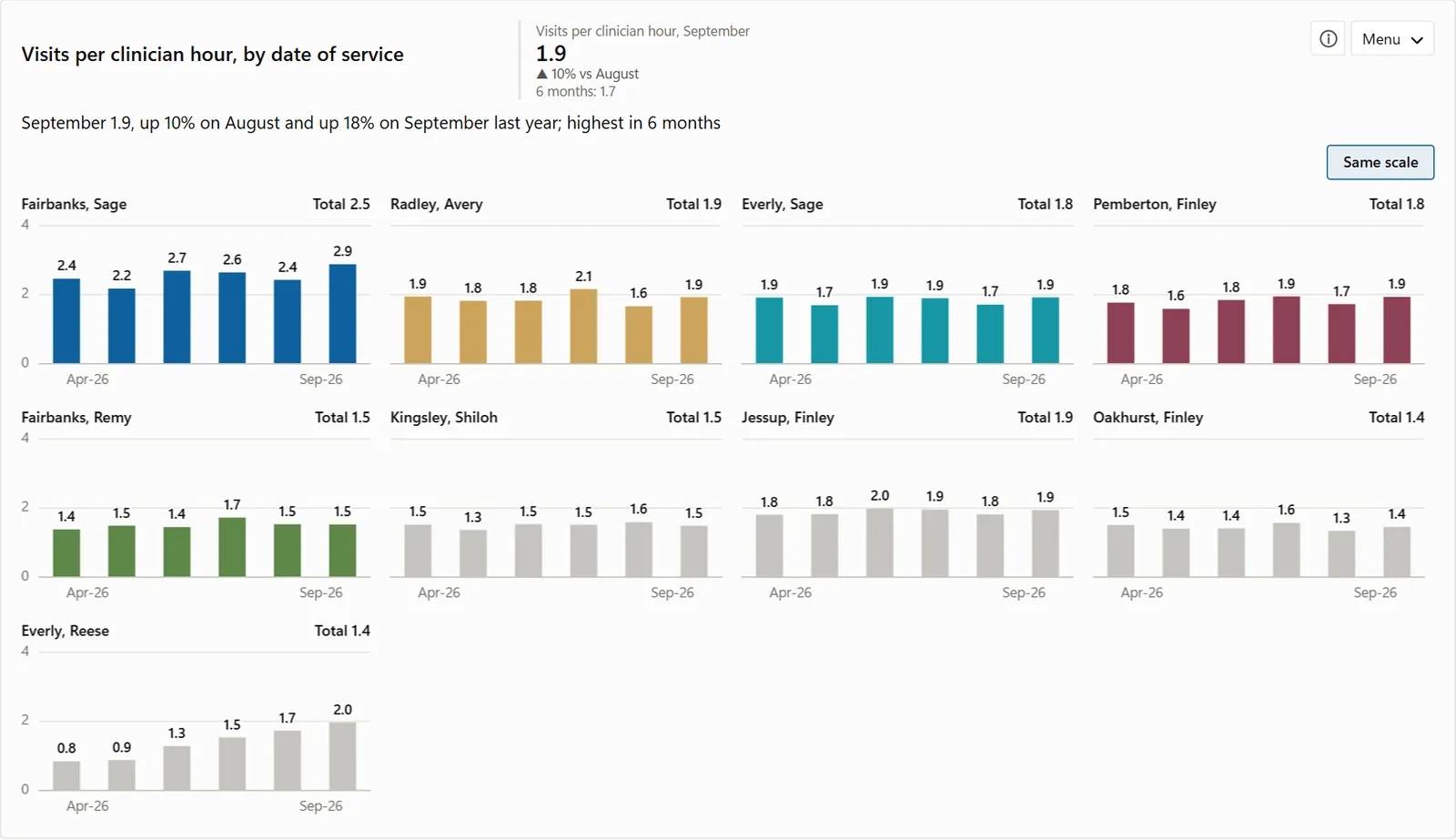
Visits per clinician hour, one small chart for each clinician
Sample data
Patient map

See where your patients come from.

Patients by home ZIP code. Press Play to watch the months go by and see which areas are growing and which are fading.

Map · Sample Family PracticeSample data
Your own charts

Don't see a chart? Make it.

Pick a measure and a split, watch the chart draw, and keep it on any page.

My charts · Sample Family PracticeSample data

Your first month is free.

Nothing is charged for 30 days, and your patient data stays on your computer.